
Reconcile Meta and Google Ads invoices against bank payments without the spreadsheet
SpendRecon matches every ad platform invoice to the bank payment behind it, flags markup, VAT, and FX differences, and exports reconciled journal entries to QuickBooks and Xero.
Invoice totals that don't match the bank payment and nobody catches it until the close
Markup, VAT, and FX variances that quietly eat margin on every media buy
Five tabs and three formulas per client just to track what's still outstanding
Three steps from raw invoices to a reconciled close
Step 1
Step 1
Upload your invoice and bank files
Drop in your Meta and Google Ads invoice exports alongside your bank payment exports. SpendRecon reads both and lines up the records for you.
Step 2
Step 2
Review the exceptions
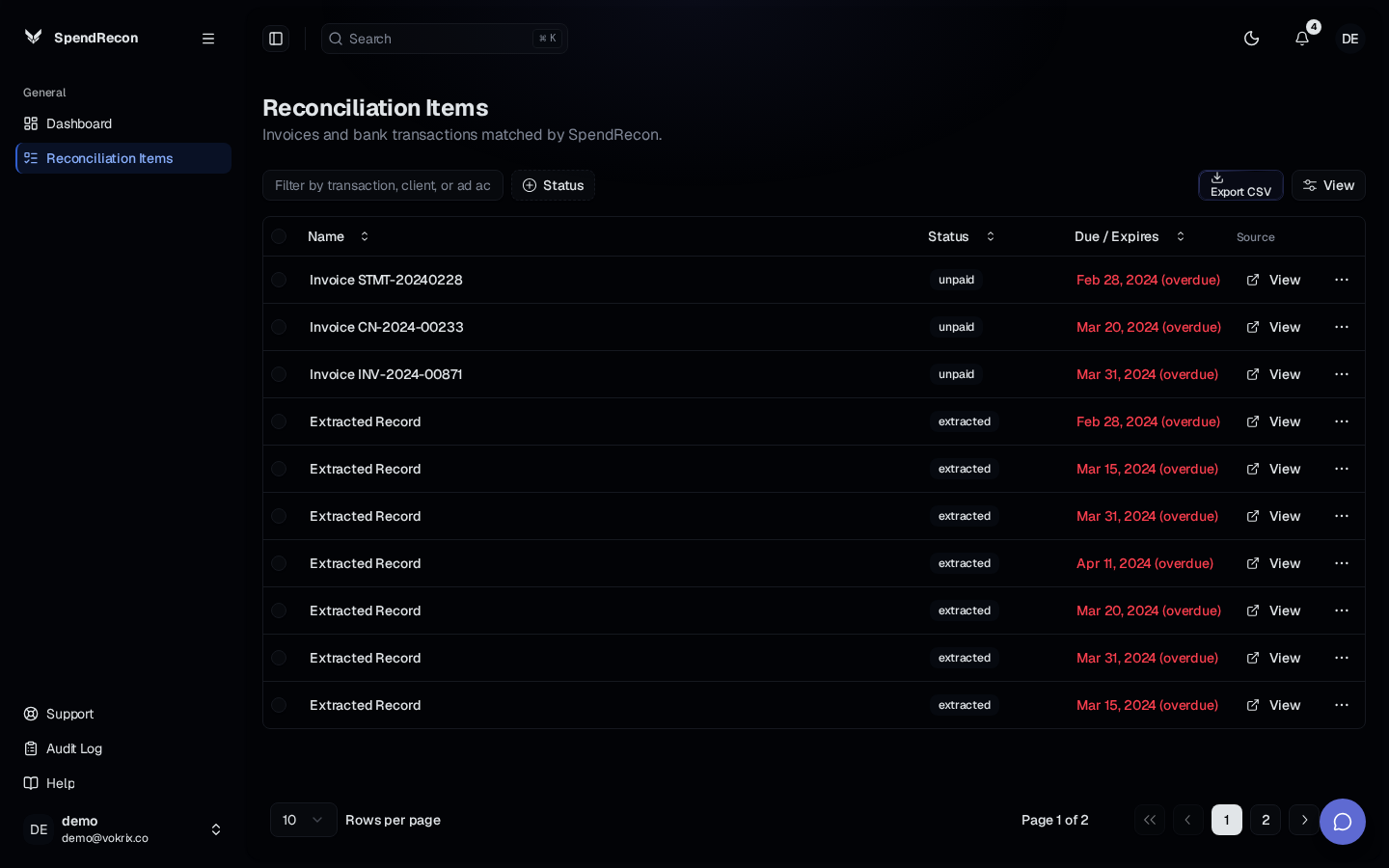
Every record lands in one dashboard with status coloring for matched, partial, unreconciled, markup, VAT, and FX. You see the mismatches, the variances, and the payment deadlines in one place.
Step 3
Step 3
Approve and export
Approve the reconciled matches and export journal entries straight to QuickBooks or Xero. Your close runs on an approved record instead of a spreadsheet.
What changes when reconciliation lives in one tool
Every mismatch gets caught
Invoice-to-payment differences surface with status coloring, so an overcharge or a missing credit doesn't wait for someone to spot it in a spreadsheet.
Margin stays where it belongs
Markup, VAT, and FX variances are flagged on the record, so the money that leaks out of media spend stops leaking out.
One dashboard instead of five tabs
Total reconciled versus outstanding, upcoming bank payment deadlines, and invoice due dates all sit in the same view you work from.
A close you can hand over
Journal entries export to QuickBooks and Xero from approved matches, so the close has a trail instead of a color-coded tab.
Common questions
Your next close doesn't have to run on spreadsheets
SpendRecon matches every ad platform invoice to the bank payment behind it, flags markup, VAT, and FX differences, and exports reconciled journal entries to QuickBooks and Xero.
Upload your files and see the exceptions today.