
Find the rebate money you already earned.
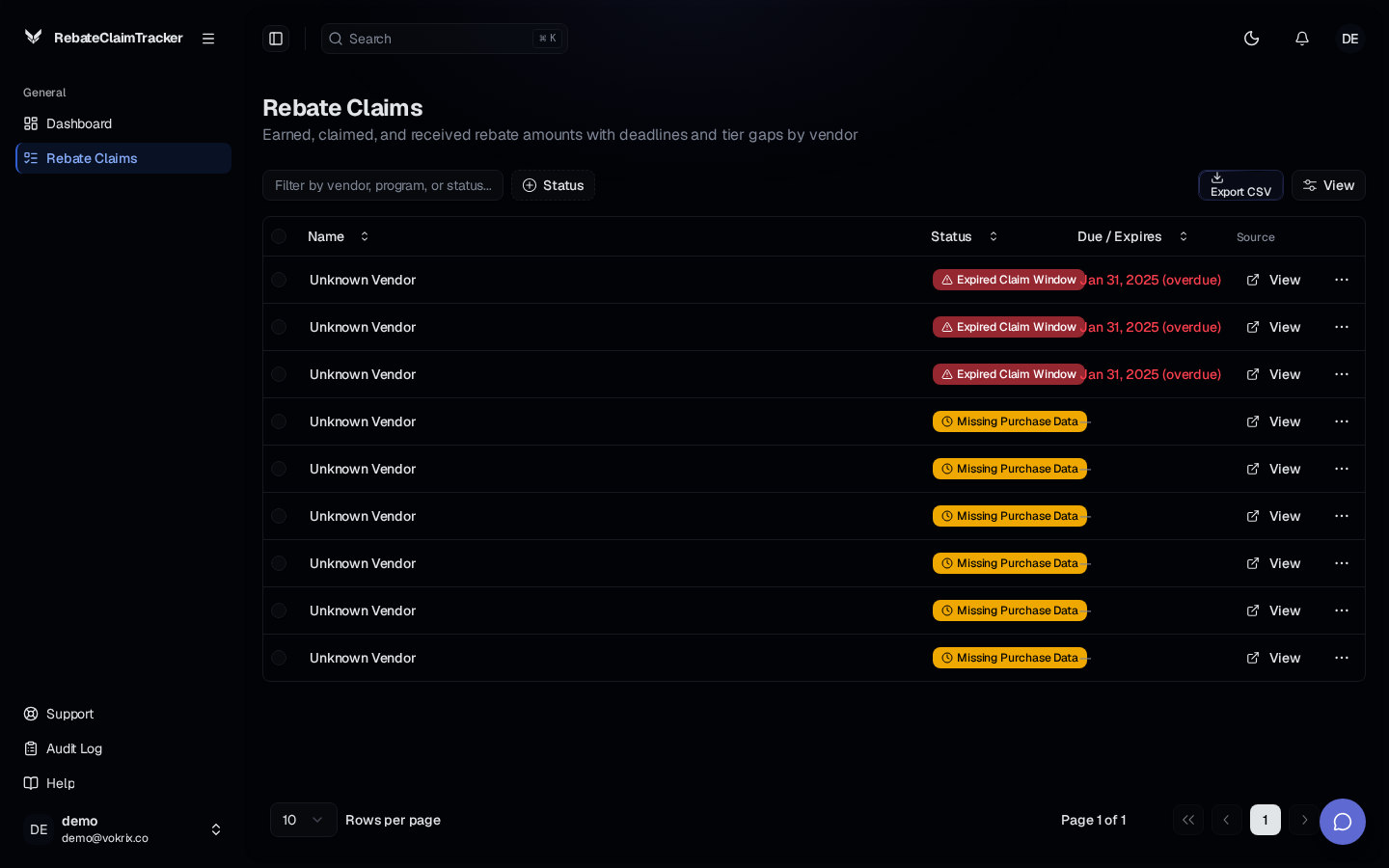
Upload your purchase history and rebate agreements. Get back a ranked list of unclaimed rebates, tier gaps, and reconciliation leakage — before the deadline closes the door.
Missed purchase thresholds leave earned rebate money on the table.
Manual reconciliation across CSV exports and PDF agreements is slow and inaccurate.
Scattered spreadsheets hide receivable gaps for months.
How it works.
Step 1
Step 1
Upload your files.
Drop in your purchase-history CSVs and your rebate-agreement PDFs. No ERP connection, no consultants, no integration project.
Step 2
Step 2
Review the ranked exceptions.
The dashboard returns unclaimed rebates, tier gaps, and reconciliation leakage — each record ranked and colored by status severity.
Step 3
Step 3
Claim before the deadline.
See upcoming deadlines alongside each exception so you know exactly which rebates to chase first and when.
What you get.
Recover earned rebates.
Every dollar you already qualified for shows up in one ranked list instead of hiding across spreadsheets.
Close tier gaps before they cost you.
Track purchase progress against each threshold and see how close you are while there is still time to act.
No ERP integration required.
Upload CSVs and PDFs. That is the whole setup. Nothing to install, nothing to connect.
Catch reconciliation leakage.
Discrepancies between what you bought and what you were credited surface as ranked exceptions you can work through.
Common questions
Rebate periods close. Recover what you earned before this one does.
Upload your purchase history and rebate agreements. Get back a ranked list of unclaimed rebates, tier gaps, and reconciliation leakage — before the deadline closes the door.
No setup required. Start with one upload.