
Check every renewal quote against the signed contract before you sign anything.
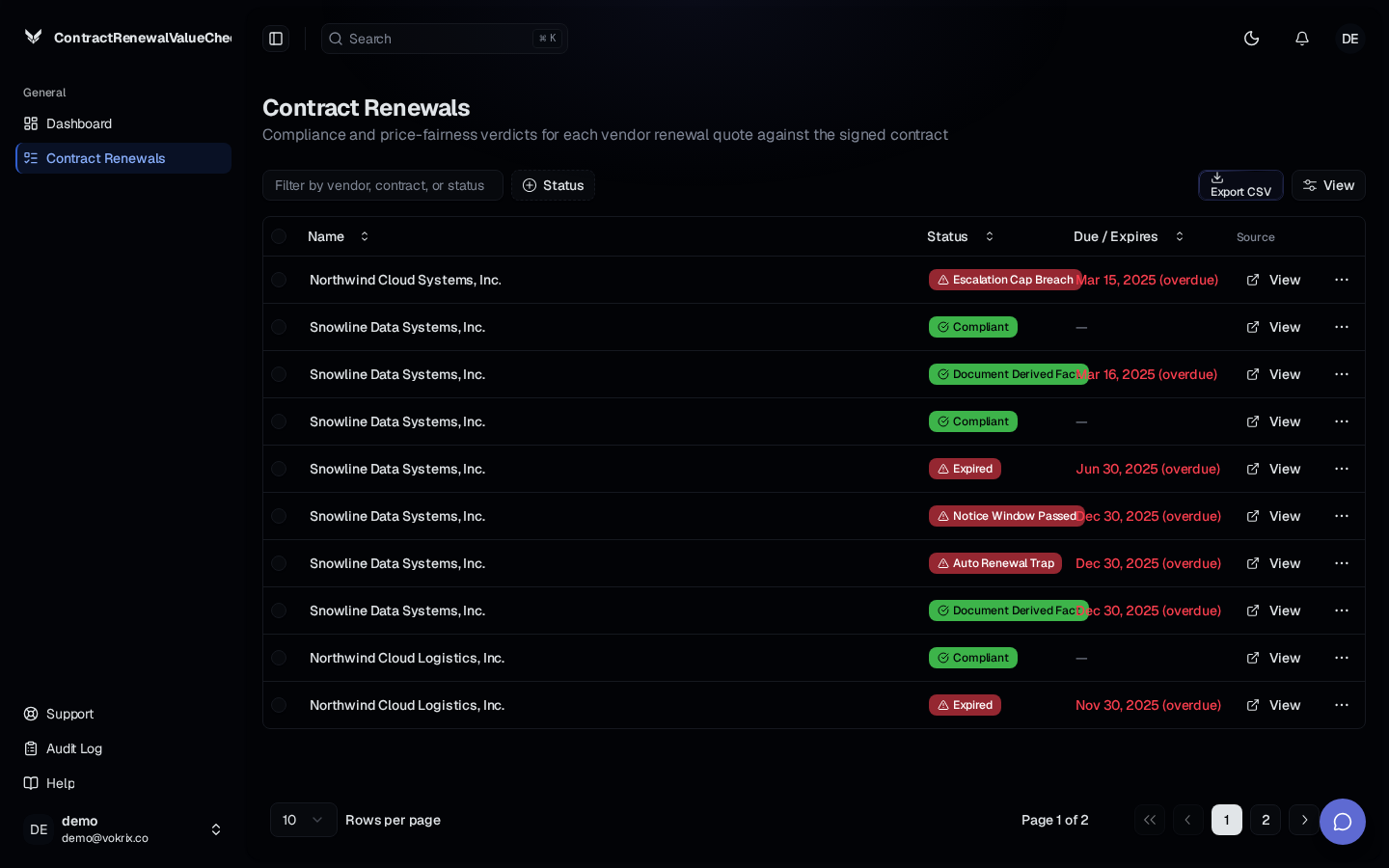
Upload a signed contract and a vendor renewal quote, then see pricing, notice, escalation, and minimum commitment terms checked against each other with verbatim citations.
Auto-renewal windows close unnoticed and lock the business into unwanted terms.
Notice deadlines are missed and escalate into disputes or penalty exposure.
Renewal quotes exceed contractual price caps and the overcharge goes undetected.
How it works.
Step 1
Step 1
Upload the signed contract
Drop in the original signed contract so the renewal tool has the agreed pricing, notice, escalation, and minimum commitment terms to check against.
Step 2
Step 2
Upload the renewal quote
Add the vendor renewal quote you received so both documents sit side by side as records ready for review.
Step 3
Step 3
Review flagged exceptions
Scan the dashboard for severity coloring, exception flags, and upcoming deadlines, then read the verbatim citations behind each flag.
What you get.
Catch pricing overages
See where a renewal quote exceeds the contractual price cap, with the exact clause cited so you can push back before signing.
Never miss a notice window
Upcoming notice and renewal deadlines appear on the dashboard so auto-renewal does not lock you into terms you did not want.
Spot minimum commitment changes
Compare what the contract committed you to against what the renewal quote asks for and flag every change that matters.
Every flag backed by a citation
Each exception shows the verbatim text it came from, so finance, procurement, and legal all review the same evidence.
Common questions
Stop signing renewals you have not checked. Get Started.
Upload a signed contract and a vendor renewal quote, then see pricing, notice, escalation, and minimum commitment terms checked against each other with verbatim citations.
No setup required. Start with one upload.